
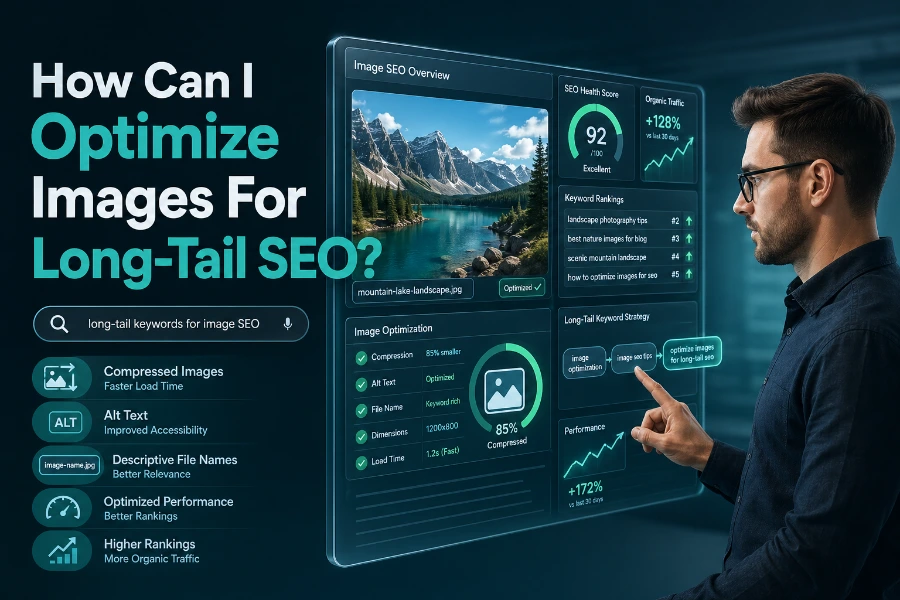
In today’s digital landscape, optimizing images for SEO is an essential strategy to increase your website’s visibility and search rankings. Image optimization directly impacts your site’s load speed, user experience, and search engine rankings, especially when targeting long-tail keywords.
Use High-Quality, Relevant Images
High-quality images enhance your website’s overall look, but they must also be optimized for SEO. Start by ensuring the images you use are relevant to the content. Well-chosen images make your content more engaging and informative, providing a better user experience. Optimizing these images for long-tail SEO helps attract users searching for specific, niche topics. To enhance SEO visibility, use descriptive image names that contain your target long-tail keywords.
For instance, if your content focuses on healthcare SEO, including images with descriptive file names like “healthcare-seo-strategies.jpg” can increase the image’s relevance and ranking potential. Companies also use the Top Healthcare SEO Services in the UK to improve their SEO content strategy.
Choose the Right File Format and Size
The file format you choose can affect both image quality and load time. For most websites, JPEGs are ideal for photos, while PNGs work better for logos or images with transparent backgrounds. It’s crucial to choose the best format to balance image quality and load speed. Also, image file size directly influences your page’s load time, which is a significant ranking factor.
Compress your images without losing too much quality. Using tools like TinyPNG or ImageOptim can help with this process. It’s important to ensure your images aren’t too large, as slow-loading pages can lead to higher bounce rates. Compressing images and ensuring fast page load times are critical to optimizing your website for SEO.
Implement Descriptive Alt Text
Search engines cannot “see” images like humans can, but they can read alt text, which provides a description of the image. Alt text should be descriptive, concise, and contain relevant long-tail keywords. For example, instead of using generic alt text like “image1,” use something more specific, such as “long-tail-seo-for-healthcare-images.”
Including relevant keywords in your alt text helps your images rank for those search terms, boosting your website’s overall SEO. Descriptive alt text is a small, often overlooked part of SEO that can make a big difference in how well your images perform in search results.
By using alt text effectively, you make your content more accessible to both search engines and visually impaired users, thereby improving inclusivity and reach.
Optimize Image Sitemaps
An image sitemap is an effective way to ensure search engines properly index your images. An image sitemap is a specialized XML file that helps search engines understand the relationship between your images and the content they accompany. By including your images in the sitemap, you increase their chances of being indexed and appearing in search results.
Make sure your website’s images are also included in your regular sitemap. For better SEO optimization, it’s essential to ensure that search engines can easily find all your images. Implementing image sitemaps enhances crawlability and improves overall indexing, resulting in better rankings.
Ensure Mobile Optimization
As more users access websites on mobile devices, it is essential that your images are optimized for mobile viewers. Mobile optimization not only improves the user experience but also helps with SEO. Search engines, including Google, prioritize mobile-friendly websites in their rankings.
Make sure your images are responsive. This means they should adjust automatically to fit different screen sizes without distorting or slowing down your site. Implementing responsive image techniques ensures a positive mobile experience, which benefits your SEO ranking.
With effective Healthcare SEO Audits, you’ll have a deeper look at your healthcare website SEO and get valuable insights into how to enhance your SEO performance.
Leverage Structured Data for Images
Structured data helps search engines better understand the content on your website. By using schema markup, you can provide additional information about the images, such as the creator, license, or subject matter. This helps search engines index your images more effectively, improving visibility.
Incorporating structured data in your image optimization strategy can boost your chances of ranking higher for long-tail keywords. It is important to note that using schema markup for images also enhances your content’s chances of appearing in Google’s rich results, offering additional visibility. Adding structured data for images allows search engines to better interpret your content and increase the likelihood of rich snippets and other enhanced search features.
Utilize Image Compression Tools
Image compression tools are crucial for maintaining website speed while ensuring your images are of good quality. There are various tools available to help you compress images without compromising quality. Some popular image compression tools include ImageOptim, TinyPNG, and Squoosh.
By compressing images before uploading them to your website, you help ensure that your pages load faster, contributing to better user experience and higher rankings in search engine results. Image compression not only saves space but is an essential step for making sure your website performs well across all devices, keeping load times minimal.
Implement Lazy Loading for Images
Lazy loading is a technique that delays the loading of images until they are needed. This can significantly speed up page load times, particularly for image-heavy pages. Since loading time is a ranking factor for search engines, implementing lazy loading can improve both user experience and SEO performance.
This method is especially useful for websites with many images, as it allows the page content to load first, and images will only load when they come into view on the screen. By implementing lazy loading, you can dramatically improve your site’s loading speed and user engagement, making it a powerful tool for SEO optimization.
To get help for on-page SEO for your healthcare websites, make sure to explore On-Page SEO for Healthcare Providers, which uses valuable techniques for enhancing on-page content and SEO strategies.
Monitor and Analyze Your Image Performance
Once you have implemented all these image optimization techniques, it’s crucial to monitor their performance. Use Google Analytics and Google Search Console to track how your images are performing in search engine results. Monitoring image performance will give you insights into how your SEO efforts are impacting your rankings.
By analyzing the performance of your images, you can identify areas for improvement and refine your strategy. This ongoing process ensures that your images continue to perform well for long-tail keywords and remain relevant in search results.
Conclusion
Optimizing images for long-tail SEO requires a combination of high-quality images, compression, descriptive alt text, and mobile-friendly techniques. By following the best practices outlined above, you can significantly improve your website’s search engine visibility and rankings. The goal is to ensure that both search engines and users can easily find and engage with your content.
Start implementing these strategies today and enjoy the benefits of improved SEO performance and a better user experience. For a more detailed guide on SEO for healthcare providers, make sure to explore Local SEO for Healthcare Providers, which can help you leverage local search strategies for a better online presence.
FAQs
How does image optimization improve SEO?
Image optimization enhances SEO by improving page load times and making images more accessible to search engines. By using descriptive filenames, alt text, and relevant file formats, images can help improve overall search engine visibility and website ranking.
What is the best file format for SEO?
JPEG is ideal for photos and images with many colors, while PNG is better for images with transparency or simple graphics. Choosing the correct format ensures fast load times and maintains image quality, improving SEO performance.
How do I optimize images for mobile SEO?
To optimize images for mobile SEO, use responsive design techniques and ensure images automatically resize to fit different screen sizes. Compress images for faster load times and implement lazy loading to improve performance on mobile devices, benefiting both user experience and SEO.
How do alt tags impact SEO?
Alt tags provide a description of images for search engines, improving accessibility and helping search engines understand image content. Including long-tail keywords in alt text helps rank images for specific terms, boosting your content’s overall SEO.
What is the importance of image compression for SEO?
Image compression reduces file sizes without sacrificing quality, improving page load times. Faster websites are favored by search engines, resulting in better rankings. Optimizing images for load speed enhances user experience and positively impacts SEO performance.
How does structured data help with image SEO?
Structured data, such as schema markup, provides search engines with additional information about your images, including creator, license, and context. This makes images more discoverable, increasing the likelihood of appearing in rich snippets and improving SEO rankings.
Can image sitemaps improve SEO?
Yes, image sitemaps help search engines index your images more efficiently, ensuring they are properly indexed and displayed in search results. Including your images in the sitemap allows search engines to find and rank them more effectively, improving visibility.
How do image names affect SEO?
Descriptive, keyword-rich image filenames help search engines understand the image’s content. Naming images with long-tail keywords relevant to the surrounding content increases the likelihood of ranking for those keywords and improves overall SEO.
Why is mobile optimization important for image SEO?
As mobile traffic increases, image optimization is crucial. Mobile-friendly images that adjust to different screen sizes provide a better user experience, which can reduce bounce rates. Google prioritizes mobile-friendly websites, improving rankings for optimized sites.
How can I monitor my image SEO performance?
Use tools like Google Analytics and Google Search Console to track how images are performing in search results. Monitoring image performance allows you to make adjustments and refine your strategy, ensuring ongoing SEO improvements and better ranking over time.
These FAQs are designed to be clear, concise, and optimized for search engines, helping readers find valuable information while improving SEO ranking.